
How does ClickCease stop bad traffic across Google, Meta, and Microsoft Ads?
ClickCease™ monitors, detects, and blocks fraudsters from clicking your Google, Meta & Microsoft Ads.

2,000+ tests per visit
Audience Exclusion
Pixel Guard
PMX Protaction





CHEQ is trusted by +10,000 advertisers across all industries


From Click to Block: How ClickCease Works
Every time someone clicks your ad ClickCease runs through it automatically, in real time, before any damage can be done. Here is exactly what happens.
A visitor clicks your ad
ClickCease begins monitoring the moment a visitor arrives on your site from a paid source - Google, Meta, or Microsoft Ads.
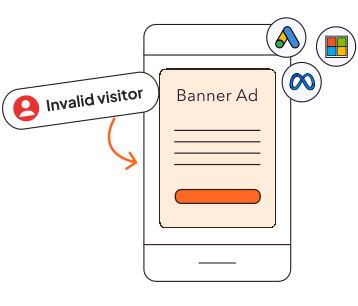
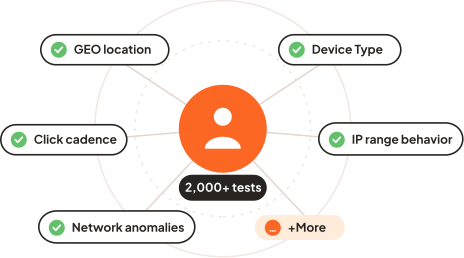
2,000+ behavioral tests run in parallel
In real time, ClickCease evaluates the visitor across more than 2,000 behavioral and technical signals simultaneously.
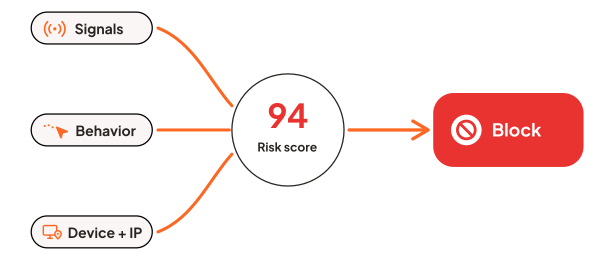
A fraud risk verdict is assigned -immediately
Based on the accumulated signals, the visitor is assigned a fraud risk score. If the score crosses the detection threshold, a block verdict is triggered automatically.
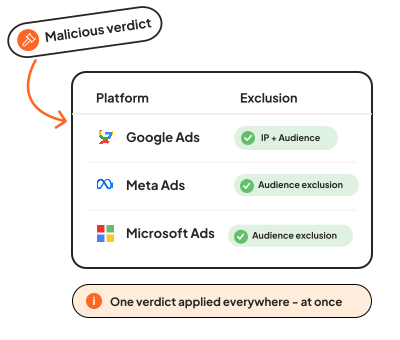
One verdict - action across all your platforms
One verdict sets everything in motion. The visitor is added to your Google Ads IP exclusion list and audience exclusion list, placed in a custom exclusion audience on Meta Ads, and Microsoft Ads targeting - all at once, from one dashboard.
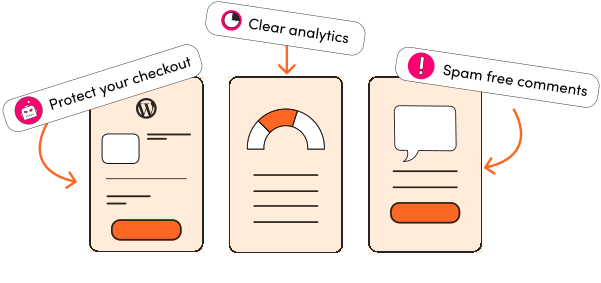
Bot mitigation - protection beyond the click
ClickCease also protects your WordPress site from bot traffic that has nothing to do with your ads - scrapers, crawlers, and automation tools that arrive directly and quietly corrupt your analytics. Bot mitigation for WordPress is built into ClickCease, so your site metrics and your ad
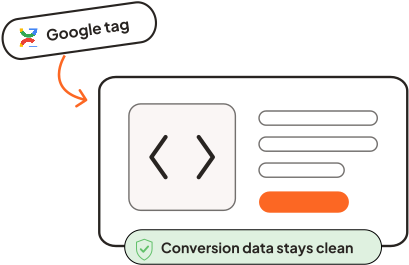
Pixel Guard protects your Google tag data
Before the flagged session ends, ClickCease's Pixel Guard technology prevents your Google tracking tags from firing - keeping your Google Ads conversion data, Google Analytics audiences, and Smart Bidding signals free from fraudulent sessions.
The data goes where you need it
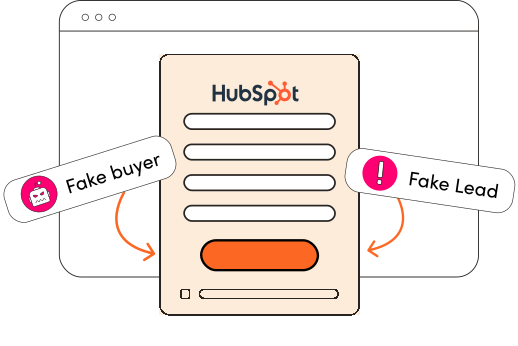
Every flagged visit is logged in your ClickCease dashboard with a full breakdown. For lead-gen campaigns, Lead Shield sends the fraud verdict and risk score directly to your CRM -so your sales team sees which contacts are real before they follow up.
Frequently Asked Questions
How does click fraud detection work, technically?
ClickCease starts a monitoring session the moment a visitor arrives from a paid ad. It runs 2,000+ behavioral and technical tests in real time - evaluating IP checks, click velocity, geolocation anomalies, and session behavior patterns. Each signal feeds a cumulative fraud risk score. When the score passes a threshold, a block verdict is triggered automatically, without any manual review.
How does ClickCease block traffic on Google Ads?
When a visitor is flagged as fraudulent, ClickCease immediately updates your Google Ads account. For standard campaigns, the visitor's IP is added to the campaign-level IP exclusion list. For Performance Max and YouTube campaigns, IPs are sent to the account-level exclusion list. Audience exclusions are applied across all campaign types, including PMax - which now supports audience exclusions natively. Everything happens in real time, not in a batch at the end of the day.
How does ClickCease protect Performance Max (PMax) campaigns?
Performance Max campaigns have different targeting mechanics than standard campaigns - they don't support the same campaign-level IP exclusions. ClickCease handles this by sending fraudulent IPs to the account-level exclusion list, which applies across all campaign types including PMax. ClickCease also applies audience exclusions to PMax campaigns, keeping fraudulent visitor segments out of your smart bidding signals entirely.
How does blocking work on Meta Ads and Microsoft Ads?
On Meta Ads, fraudulent visitors are added to a custom exclusion audience in your ad account, preventing them from being served your ads. On Microsoft Ads, the same exclusion logic applies -Microsoft doesn't allow automatic IP blocking, so audience exclusion is how ClickCease blocks there. All three platforms are updated from a single ClickCease detection event - you don't need to log in to each platform separately.
What is Pixel Guard and how does it work?
Pixel Guard is ClickCease's technology for preventing Google tracking tags from firing on flagged visitors. When a visitor is identified as fraudulent, Pixel Guard intercepts it before any Google tag can register a conversion event - keeping your Google Ads conversion data, Google Analytics audiences, and Smart Bidding signals clean from invalid traffic.
How fast does ClickCease block a fraudulent visitor?
ClickCease completes detection and triggers blocking immediately — in the same session in which the fraudulent visit occurs. The process is fully automated with no manual review required. Exclusions are applied to your ad platforms in real time, not held until the end of the day.
What happens to my conversion data when a fraudulent visitor is blocked?
When Pixel Guard is active, a flagged visitor's session is prevented from triggering any Google tracking event on your site. Their visit does not register in your Google Ads conversion data and does not create signals in Google Analytics. Your Smart Bidding algorithm receives only signals from genuine visitors, which improves bid accuracy over time.
How does ClickCease handle fraudulent leads from forms?
ClickCease Lead Shield for HubSpot evaluates each form submission in real time. It generates a fraud verdict and a risk score for the submitter, and sends both directly to HubSpot - so your sales team can see the lead's fraud status before deciding whether to follow up.
Does ClickCease slow down my website?
No. ClickCease's detection script is lightweight and runs asynchronously - it does not block page rendering or affect Core Web Vitals. All 2,000+ behavioral tests run in the background after the page has loaded, with no perceptible impact on user experience for genuine visitors.
What is click fraud, and how does it affect Google Ads campaigns?
Click fraud is the practice of clicking on paid ads with no intention of becoming a customer - carried out by bots, automated scripts, or competitors trying to drain your budget. On Google Ads, this inflates your click volume, depletes your daily budget, and corrupts the conversion data your Smart Bidding strategy relies on. Over time, fraudulent clicks teach your campaign to bid toward the wrong audience, compounding the damage beyond just wasted spend.
How do I stop bots from clicking my Google Ads?
Google Ads offers basic invalid click filtering, but it catches only the most obvious bot traffic after the fact. To stop bots in real time, you need a dedicated tool. ClickCease runs 2,000+ behavioral tests on each visit and blocks suspicious sessions immediately, before they can consume the budget or corrupt your data. Blocked visitors are excluded from your campaigns by IP and by audience, covering Search, Display, Shopping, YouTube and Performance Max, and Pixel Guard prevents bot sessions from registering in your Google conversion tags.

Fake leads protection built for HubSpot
Join the marketers keeping fake and invalid leads out of their funnel.
Start free trial



Got a question?


Got a question?

Schedule a call

Start a chat

Email us
Got a question?
ClickCease™ is an impression and click-fraud detection and protection service software.
Our anti click fraud service detects fraud on Microsoft Ads and protects Google Ads by using our industry-leading detection algorithms, blocking fraudulent IPs automatically.
ClickCease™ protects Facebook Ads campaigns by detecting and excluding fraudulent audiences.
ClickCease™ is not affiliated with any search engine and is an independent provider.
Social


© ClickCease.com 2026
© ClickCease.com
ClickCease™ is an ad fraud protection and ad fraud detection service