

In brief
An invalid click in Google Ads is a click that does not represent genuine interest from a real potential customer. It can include accidental clicks, repeated clicks, automated clicks, suspicious click patterns, bot activity, or activity that appears designed to inflate costs or manipulate campaign results.
For advertisers, the important thing to understand is that “invalid click” is a platform classification. Google Ads may filter some clicks automatically before they are charged. In other cases, suspicious clicks may be reviewed later and credited back to the account. But that does not mean every useless click, bad visit, fake lead, or low-quality session will be marked as invalid.
This is where advertisers often get frustrated. A click can look suspicious from a business point of view, but still not be clearly classified as invalid by the ad platform. It may come from a poor-fit user, a competitor, a bot that behaves carefully, or a visitor with no real buying intent. For a broader explanation of how this fits into click fraud, see the ClickCease guide on what click fraud is.
So the real question is not only “What does Google count as invalid?” It is also “Which clicks are damaging campaign performance even if they are not officially filtered?”
Invalid clicks are not all the same problem
Invalid clicks can come from different sources, and not all of them are equally serious.
Some are simple mistakes. A mobile user may tap an ad accidentally. Someone may click twice. A user may open the ad, go back, and click again. These actions may not be malicious, but they also may not represent real interest.
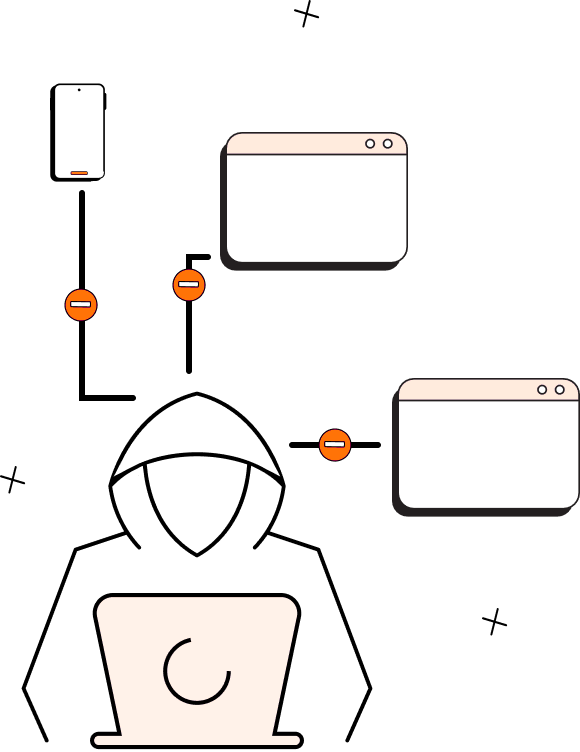
Other invalid clicks are more deliberate. Competitors may click ads to waste budget. Bots may click ads automatically. Click farms may generate artificial traffic. Fraud networks may create activity that looks like real user behavior but has no commercial value.
Then there is the gray area. These are clicks that may not be officially counted as invalid but still create a problem for the advertiser. For example, a visitor may click from a location that technically passes the targeting rules but has no relevance to the business. A user may click, spend three seconds on the page, and leave. A fake lead may submit a form with details that look normal at first but fail basic validation later.
This is why advertisers should not rely only on the invalid-click column inside the platform. That number is useful, but it is not a full traffic-quality report.
The better approach is to separate the three types of traffic.
The first type is officially filtered invalid traffic. These are clicks the platform detects and removes or credits.
The second type is suspicious traffic. These clicks may not be officially filtered, but they show unusual behavior in analytics, CRM data, call tracking, or lead-quality checks.
The third type is poor-fit human traffic. These are real users, but they are not the right audience. That is usually a targeting, keyword, offer, or landing-page problem.
Each type requires a different response.
If Google filters the clicks, that helps with billing. If the traffic is suspicious but not filtered, the advertiser needs stronger monitoring, Google Ads click fraud protection, and bot mitigation. If the traffic is real but poorly matched, the advertiser needs a better campaign structure: tighter keywords, negative keywords, sharper ad copy, better geo settings, and stronger qualification on the landing page.
The mistake is treating all poor performance as one thing. Not every weak click is fraud. Not every suspicious click will be refunded. Not every invalid-looking session is actually automated. The pattern matters.
A useful sign is whether the traffic behaves like real prospects. Real prospects usually read, compare, check service details, look at pricing or locations, interact with forms, or call with relevant questions. Suspicious traffic often creates activity without depth. It clicks, lands, does very little, and disappears. In more serious cases, it submits fake forms or triggers conversions that never become real business.
That is why invalid clicks should be evaluated not only at the click level, but across the full journey: click, session, behavior, conversion, CRM outcome, and revenue quality.
Real-life example
A multi-location home services company runs Google Ads across several cities. For most locations, performance is stable. Clicks turn into calls, calls turn into booked jobs, and the branch managers are satisfied with lead quality.
Then one city starts behaving differently.
The campaign receives more clicks than usual, but booked jobs do not increase. Analytics shows that many sessions are extremely short. Users land on the page, do not scroll, do not check service details, and do not click to other pages. Some form submissions come in, but the phone numbers are unreachable or the service addresses are outside the company’s actual coverage area.
Google Ads may filter some clicks as invalid, but not all of the suspicious activity is removed. From the platform’s side, only certain clicks may meet the invalid-click threshold. From the business side, the whole segment looks harmful.
That is the gap advertisers need to manage.
The company should not assume that everything is fine because only a small number of clicks were officially marked invalid. It should compare the suspicious city against normal cities, review device and timing patterns, check form quality, inspect location data, and make sure fake conversions are not feeding automated bidding.
If the traffic is just poorly targeted, the fix may be campaign cleanup. If the traffic is repetitive, shallow, fake, or automated, the issue is broader than targeting. It becomes a click fraud and bot traffic problem.
Bottom line
An invalid click in Google Ads is a click that the platform identifies as not reflecting genuine user interest. It may come from accidental behavior, repeated clicking, automation, bots, competitors, or other suspicious activity.
But advertisers should not depend only on what the platform officially labels as invalid. Some harmful traffic may still appear as normal paid activity. The stronger approach is to check what happens after the click: engagement, location logic, lead quality, CRM outcomes, repeated patterns, and real business value.
Invalid-click filtering helps. It does not replace traffic-quality protection.